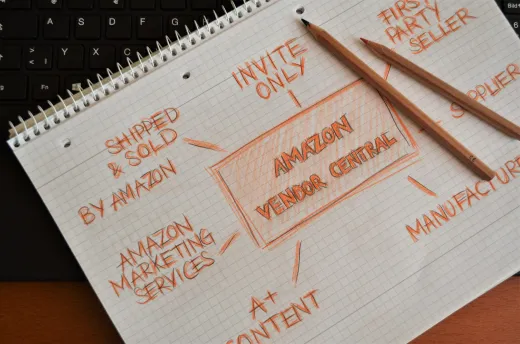
Most suppliers meet Coupa the same way: a customer sends an invitation and explains that from now on orders will arrive through their system and invoices must be submitted there too. This guide is written for that supplier. It covers what onboarding involves, how to keep your profile and catalogue current, how orders and invoices actually move, why invoices get rejected, what to do about portal fatigue when every customer uses a different network, and practical advice for a small supplier.
Key takeaways
- Being a Coupa supplier means transacting inside a customer's procurement system, not buying software yourself.
- Onboarding is mostly a paperwork exercise: company, tax, bank and compliance details, then a linked trading relationship.
- Nearly all invoice rejections trace back to a mismatch with the purchase order or a missing goods receipt.
- Commercial terms for supplier accounts are not publicly listed, so confirm them with your customer and with Coupa directly.
What being a Coupa supplier actually means
Coupa is an established business spend management platform. Buying organisations use it to raise requisitions, approve spend, issue purchase orders, receive goods and process invoices. It is a serious, widely adopted system, and the reason you have been invited to it is almost always that your customer has decided to route all of its buying through one controlled process.
The important thing to understand is the split in perspective. Your customer sees a full spend management suite with budgets, approvals, analytics and controls. That buyer side is covered in our guide to the Coupa buyer platform. You, as a supplier, see a much narrower slice: a profile to maintain, orders arriving, and a place to submit invoices and check their status. Almost everything that frustrates suppliers comes from being handed the narrow slice without anyone explaining the wider process it sits inside.
That wider process is straightforward once described. Someone at your customer requests what they need, it gets approved against a budget, a purchase order is issued to you, you deliver, someone confirms receipt, and your invoice is matched against the order and the receipt before payment is released. This is standard e-procurement practice rather than anything unique to one vendor. Understanding the chain tells you exactly where your invoice can get stuck.
What supplier onboarding generally involves
Onboarding is triggered by the customer. They send an invitation, you register or link an existing account, and the two are connected as a trading relationship. The software part is rarely the obstacle. The paperwork part is. In general terms, expect to supply the following.
- Legal entity details. The registered company name, address and registration number exactly as they appear on your invoices, not a trading name or abbreviation.
- Tax information. VAT or equivalent tax registration numbers for each country you invoice from, plus any withholding or exemption paperwork the customer requires.
- Bank details. The remittance account, in the name of the legal entity. Mismatches here are a leading cause of payment delay and a common target for fraud checks.
- Contacts. An account administrator plus, ideally, a shared mailbox rather than one person's address, so notifications survive holidays and staff changes.
- Compliance documents. Insurance certificates, quality or environmental accreditations, modern slavery or diversity declarations, and anything specific to your sector.
- Categories and capabilities. What you actually supply, described in the customer's terms so buyers can find you internally.
Gather all of this before you start rather than halfway through. Suppliers who assemble a single onboarding pack, kept in one folder and reviewed annually, get through registration for every customer far faster than those who hunt for a certificate each time. It is the single highest-return piece of preparation a small supplier can do.
Keeping your profile and catalogue current
Registration is not the end of the job. Your profile is how buyers inside your customer's business find and assess you, and stale details quietly cost you work. If a certificate expires, some customers will block new orders automatically. If a contact leaves, order notifications go to a dead inbox. If your bank details change and you update them late, payments bounce and the resulting fraud checks can add weeks.
Catalogues deserve particular attention if you sell repeat items. A catalogue is a structured price list the customer's staff can order from directly, and a good one is genuinely in your interest. When your catalogue is accurate, buyers order the right part at the agreed price, the order matches your invoice, and payment moves without a query. When it is out of date, people order discontinued items at old prices and you spend the month arguing about the difference.
Set a calendar reminder, not a good intention. A quarterly review of your profile, certificates, contacts and catalogue takes under an hour per customer and prevents most of the administrative problems suppliers complain about. Treat expiring documents the way you treat an insurance renewal, because for some customers that is exactly what they are.
Receiving orders and submitting invoices
Day to day, being a supplier on any procurement platform comes down to a handful of documents moving between you and your customer. The names vary between systems but the shape does not.
| Document | Direction | What it does for you |
|---|---|---|
| Purchase order | Customer to supplier | Your authority to supply and to invoice. Without a valid one, payment is rarely possible. |
| Order acknowledgement | Supplier to customer | Confirms you accept the order, or flags a price, quantity or date you cannot meet. |
| Advance shipping notice | Supplier to customer | Tells the customer what is arriving and when, which helps them receipt it promptly. |
| Goods or service receipt | Customer internal | Confirms delivery happened. Your invoice usually cannot pass matching until this exists. |
| Invoice | Supplier to customer | Your request for payment, matched line by line against the order and the receipt. |
| Credit note | Supplier to customer | The correct way to fix an overcharge, rather than cancelling and reissuing. |
Two habits make this cycle painless. First, acknowledge orders promptly and raise disagreements at that point rather than at invoice stage, when a price dispute becomes a payment dispute. Second, invoice against the order, not against your own records. Quote the purchase order number, use the same line structure, the same quantities and the same unit prices. An invoice that mirrors its order is one that passes automated matching without a human ever looking at it, which is the fastest route to payment that exists.
Common causes of rejected invoices and late payment
Rejections feel personal but are almost always mechanical. Working through the usual suspects in order resolves the great majority of cases.
- No valid purchase order. Someone at the customer asked for work informally and no order was ever raised. Nothing will clear until it is.
- Line mismatch. You consolidated three order lines into one invoice line, or split one line into three. Matching rules dislike both.
- Price or quantity variance. A price increase you agreed by email never reached the order, so the system sees a discrepancy.
- Missing receipt. You delivered, but nobody confirmed it in the system. This is the single most common cause of an invoice that is not rejected yet simply never moves.
- Tax treatment. Rounding, tax codes or place of supply calculated differently from the order.
- Stale master data. An expired certificate, an unverified bank change or an inactive supplier record silently blocking the payment run.
Two pieces of practical advice. Find out who your customer's requester is, meaning the person who actually wanted the goods, because they are usually the one who can confirm receipt. And keep your own log of order numbers, delivery dates and invoice submissions, so that when you chase you can say exactly which document is stuck and why. Suppliers who chase with specifics get paid noticeably faster than those who chase with a general reminder.
Portal fatigue when every customer is different
Here is the honest tension in supplier networks. For each individual buyer, moving suppliers onto a controlled digital process is clearly sensible. It reduces maverick spend, gives them clean data and speeds up their own approvals. But every buyer makes that decision independently, so a supplier with forty customers can end up with a dozen different portals, each with its own login, its own profile to maintain, its own invoice rules and its own certificate expiry dates. Nobody designed that outcome and everybody contributes to it.
You cannot solve this unilaterally, but you can reduce the cost. Keep one authoritative set of company master data and update every portal from it, rather than editing each in isolation. Maintain one master price list and derive customer catalogues from it. Use shared mailboxes so access does not depend on individuals. Where a customer's process is genuinely disproportionate to the value of the account, say so politely; procurement teams do occasionally simplify when suppliers explain the cost. The same pressures apply on the supplier side of SAP Ariba, so the discipline you build for one network pays back across all of them.
Practical tips for a small supplier
Smaller suppliers carry the heaviest relative burden, because the administrative work is roughly the same whether the account is worth a few thousand or a few million. A few habits do most of the work.
Keep an onboarding pack
One folder with entity details, tax numbers, bank letter, insurance and accreditations, reviewed annually.
Invoice from the order
Copy the order number, lines, quantities and prices exactly. Never invoice from memory or a quote.
Know two people
The requester who confirms receipt and someone in accounts payable. Both unblock different problems.
Diarise expiries
Certificates and insurance renewals, tracked centrally, so no customer ever blocks you by surprise.
On cost, be deliberate rather than anxious. Commercial terms for supplier accounts on this and similar networks are not published in a form that can be quoted reliably, and they vary by arrangement. Ask the customer who invited you what they expect, confirm the current position with Coupa directly, and then treat whatever emerges as a cost of serving that account, factored into your pricing where you reasonably can. What you should not do is plan around figures you read second-hand on a forum.
A balanced view of supplier networks
It is worth being fair about the trade. Supplier networks give you real things: orders in a structured format rather than scattered across inboxes, visibility of whether an invoice is approved or waiting, fewer disputes because prices are agreed up front, and often faster payment once your data is clean. Coupa is a capable platform and buyers adopt it for defensible reasons. Suppliers who learn its rhythm generally find that the arguing decreases.
The costs are equally real: setup effort, ongoing maintenance, unfamiliar rules and the accumulation of portals described above. The lighter a buyer's process, the more likely small suppliers are to use it properly, which is why some organisations deliberately choose leaner platforms. Our comparison of the best e-procurement software looks at that spectrum in more detail, from full enterprise suites to simpler tools.
ProcureWave sits at the leaner end by design. The aim is that a buyer can onboard a supplier in a short sitting, exchange orders and invoices without training, and keep supplier records, catalogues and performance in one place, so that the smallest supplier on the list can still transact digitally without dedicating an afternoon a week to portals. If you are the buyer in this conversation and supplier friction is holding your process back, or you are a supplier whose customers keep asking how you would rather work, get in touch and we will walk you through how it works in practice.
Frequently asked questions
What does it mean to be a Coupa supplier?
It means one or more of your customers runs Coupa to manage their buying, and they have asked you to receive their purchase orders and send your invoices through that system rather than by email. You are not buying Coupa yourself. You are transacting inside a customer's procurement process, using the supplier-facing side of their platform.
Do suppliers pay to transact with a customer on Coupa?
Commercial terms for supplier accounts are not publicly listed in a way that can be quoted reliably, and arrangements differ by customer, region and the services a supplier uses. The only sensible approach is to ask the customer who invited you and to confirm current terms directly with Coupa before you assume any cost, either way.
How long does supplier onboarding usually take?
It depends far more on your paperwork than on the software. If your company details, tax registration, bank information and any required certificates or insurance documents are ready, registration is often a short task. Delays usually come from missing documents, an approver on holiday or bank details that do not match the name on your invoices.
Why do my invoices keep getting rejected?
Most rejections are mechanical rather than commercial. The invoice does not quote a valid purchase order number, the line items or quantities do not match the order, the price differs from the agreed one, tax is calculated differently, or the goods have not yet been receipted by the customer. Fixing the underlying data usually fixes the rejections permanently.
What if I sell to many buyers, each on a different network?
That is a real and common burden for small suppliers. There is no universal fix, but you can reduce it by standardising your master data, keeping one authoritative price list, and pushing back gently on buyers whose process is unusually heavy. Some buyers use lighter platforms such as ProcureWave precisely to keep supplier-side effort low.
Want to see this in your own numbers?
Book a tailored demo and we will show ProcureWave running on scenarios that match your business.
Get in touch