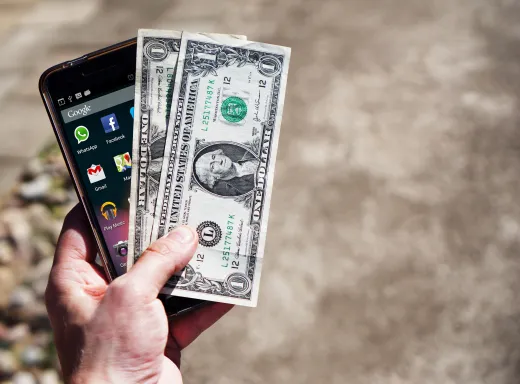
Invoicing on the go means raising a professional bill from your phone, at the job, in the van or on a customer's doorstep, and getting paid before you have packed up your tools. For tradespeople, field engineers and service businesses, that shift from paperwork-later to invoice-now is one of the simplest ways to steady cash flow and cut the admin that piles up at the end of the week. This guide explains why mobile invoicing matters, the features a phone-first invoice app genuinely needs, how to raise a bill from your phone step by step, how to get paid faster on-site, how offline working should behave, and the point at which a growing business needs its invoicing tied into purchasing and accounts payable.
Key takeaways
- Invoicing on the go lets field and trade businesses bill on-site, closing the gap between finishing a job and getting paid.
- The features that matter most are fast creation, a pay-now link, saved clients and items, tax handling and reliable offline capture.
- Raising an invoice from a phone is a quick, repeatable routine: pick the client, add lines, apply tax, send and take payment.
- A mobile invoice app bills your customers; when invoicing ties into orders, approvals and supplier bills, buy-side procurement software takes over.
Why invoicing on the go matters
For anyone who works away from a desk, the traditional invoicing routine is quietly expensive. You finish a job, scribble the details on a worksheet or trust them to memory, and then at some point, an evening, a weekend, the back end of the month, you sit down and type it all up. By then a few days have slipped past, a couple of jobs have blurred together, and a bill or two never gets raised at all. Every one of those gaps is money that arrives late or not at all.
Invoicing from your phone closes the gap. An invoice is simply a commercial document recording what you supplied and what is owed, and there is no reason it has to wait for a computer. When you can produce that document on-site, the moment the work is signed off, the customer receives it while the value is fresh in their mind and you have moved the debt off your worksheet and into a system that will chase it for you. For a sole trader or a small crew, that discipline alone can transform cash flow without any change to how much work you take on.
There is a professional edge to it too. A clean, numbered, branded invoice handed over before you leave reads as organised and trustworthy, where a bill that turns up a fortnight later does not. Mobile invoicing is not just convenience; it is the difference between running your billing and your billing running you.
Who benefits most from mobile invoicing
Any business can invoice from a phone, but some feel the benefit far more sharply than others. The common thread is working away from a fixed office, finishing discrete jobs, and needing to be paid promptly for each one. If that describes your week, mobile invoicing is less a nice-to-have than a core tool.
- Trades. Electricians, plumbers, builders and decorators who finish a job on-site and want the bill in the customer's hands before they leave.
- Field and mobile services. Engineers, technicians, cleaners and mobile groomers moving between several jobs a day, with no chance to return to a desk between them.
- Consultants and freelancers. People billing from a client's premises, a co-working space or a cafe, who value raising an invoice the moment a piece of work is agreed as done.
- Market and event sellers. Stallholders and pop-up traders who need to invoice and take payment on the spot, often with no fixed setup.
What unites them is that the invoice needs to be raised where the work happens, not later and elsewhere. The further your job is from a computer, the more a phone-first invoice app earns its keep. If you are weighing up which tool to adopt, our buyer's guide to the best invoice app compares the wider field and helps you match a product to how you actually work.
Must-have features of a mobile invoice app
Feature lists for invoicing apps are long and largely identical, so it helps to focus on the handful that genuinely change how quickly you get paid and how little admin you carry off the job. For invoicing on the go specifically, these are the ones worth insisting on before anything else.
- Fast creation on a small screen. A layout built for thumbs, not a shrunken desktop form, so a full invoice takes under a minute to raise.
- Saved clients and items. A tap to pull in a repeat customer or a standard line, rather than retyping the same details at every job.
- A pay-now link. Card and bank transfer options on the invoice itself, so the customer can settle before you have left.
- Tax handling. Correct rates applied to the right lines, including clean value-added tax treatment where you trade.
- Offline capture. The ability to build an invoice with no signal and send it automatically once you reconnect.
- Photos and notes. Attaching a job photo or a short note to the bill, useful evidence of work done and a prompt for the customer.
- Instant sync. Anything raised on the phone appearing straightaway on the web, so your records stay whole across devices.
Notice how few of these are about how the invoice looks. Almost every app produces a tidy document; that is table stakes. The value sits in speed, payment and reliability under real field conditions. When you trial an app, judge it on a wet Tuesday in a customer's driveway with one bar of signal, not on a polished demo at your kitchen table.
How to invoice from your phone, step by step
The point of a good mobile app is that raising a bill becomes a short, repeatable routine you can run in front of a customer without fumbling. The exact taps vary between apps, but the shape of the job is the same everywhere, and it should feel like this.
1. Pick the client
Select a saved customer or add a new one with a name and email. Repeat clients should be a single tap, not a fresh form each time.
2. Add the lines
Pull in saved items or type a short description, quantity and price. The app totals as you go, so there is no mental arithmetic on-site.
3. Apply tax and number
The app applies the right tax rate and assigns the next sequential invoice number automatically, keeping your records clean and compliant.
4. Send and take payment
Email the invoice or share a link on the spot, with a pay-now button so the customer can settle by card or transfer there and then.
That is the whole loop, and with saved clients and items it runs in well under a minute once you are used to it. The document mechanics behind those steps, what each field is for and why the numbering matters, are worth understanding once so the routine makes sense; our invoice generator guide walks through how the document is assembled. After that, the phone does the assembling and you just fill in the job.
Raise it before you leave. The single habit that pays off most is sending the invoice while you are still with the customer, not from the van later or at home that night. Every hour of delay is an hour the bill can be forgotten, queried or lost among other jobs. Make on-site the default, and late invoicing simply stops happening.
Getting paid faster on-site
Raising the invoice quickly is only half the win; the other half is collecting the money. This is where a mobile app with a built-in pay-now link changes the arithmetic. When the customer can tap the invoice and pay by card or bank transfer immediately, the awkward wait, the posted cheque, the "I will sort it at the weekend" that never comes, simply falls away. Payment on the spot, before you have packed the tools, is the fastest cash flow a small business can have.
Even where a customer will not or cannot pay on-site, sending the bill there and then still helps. It sets a clear due date from the moment work finished, and it hands the chasing to the app rather than to your memory. Automatic reminders before and after the due date do the polite nagging you would otherwise put off, and they do it consistently, which is what actually gets overdue invoices paid. The combination of an immediate bill, an easy way to pay, and automated follow-up is far more powerful than any one of them alone.
It is worth being deliberate about your terms too. Shorter payment windows, clearly stated on the invoice, tend to be paid sooner, and a pay-now option removes the friction that longer terms were often meant to accommodate. If you are moving towards structured formats such as electronic invoicing, especially with larger or public-sector customers, mobile invoicing sits comfortably alongside it, since the document is already digital from the moment you create it.
Working offline and other field realities
A mobile invoice app is only as useful as it is on the worst signal you regularly meet, and for field work that can mean a plant room, a rural site or an underground car park. This is why offline capture is not a luxury feature but a practical necessity. A good app lets you build the whole invoice with no connection, holds it safely on the device, and sends it the moment you are back in range, without you having to remember or redo anything.
A few other field realities are worth checking before you commit. Battery and speed matter: a lightweight app that opens fast and does not drain your phone beats a feature-heavy one that stutters. So does resilience: your data should sync to the cloud, so a dropped or lost phone never means lost invoices. And the small touches earn their place, being able to snap a photo of finished work onto the bill, or duplicate yesterday's near-identical invoice, save real minutes when you are tired and the light is going.
The table below sets out the field conditions that trip up weaker apps and what good behaviour looks like, so you know what to test rather than taking a demo at face value.
| Field condition | What can go wrong | What a good app does |
|---|---|---|
| No signal on-site | Invoice cannot be created or is lost | Builds offline, queues, and sends automatically on reconnect |
| Switching phone and desk | Records fall out of step between devices | Syncs in real time so both always match |
| Repeat and similar jobs | Retyping the same client and lines each time | Saved clients and items, plus one-tap duplicate |
| Lost or broken device | Invoices and history disappear with the phone | Data held in the cloud, restored on any device |
| Payment on the doorstep | Customer means to pay later and forgets | Pay-now link settles the bill on the spot |
Named products such as Invoice 2go sit in this mobile-first category, built around raising and sending bills from a phone. Rather than fixate on any one app, test candidates against the conditions above, since features and terms change and vary by market. The app that raises a real invoice, offline and on-site, with the least friction is the right one for you, whatever the reviews say.
When invoicing needs to connect to purchasing
Everything so far has been sell-side: raising bills for the customers who pay you. As a business grows, a second and larger problem appears on the other side of the ledger, the invoices you receive from your own suppliers. That is the world of accounts payable, and a mobile invoicing app is not built for it. Here the real work is not creating documents; it is matching each supplier invoice to the order that authorised it and the goods that were received, routing it for approval, and paying it once and on time without paying it twice.
A phone-first invoice app has no knowledge of your purchase orders or approvals, so it cannot help with any of that. If you find yourself copying figures from a supplier bill into another system, chasing sign-off by email, or unable to answer "was this authorised?" quickly, you have reached the edge of what a standalone app can do. Our invoicing guide maps out how the sell-side and buy-side pieces fit together and where the line between them sits.
This is where a procurement platform earns its place. Instead of a supplier invoice arriving in isolation, it becomes the final step in a chain that began with a request, was approved, and had the goods or services received against it. ProcureWave connects that flow, so a bill moves from order to receipt to payment without anyone re-keying it, and every step leaves an audit trail. Keep invoicing your customers from your phone with whichever mobile app suits you; this guide should help you pick a strong one. But when the bills you receive start tying into orders and approvals, a connected platform does work no invoicing app can. To see how ProcureWave would handle the buy-side of your invoicing, get in touch and we will walk you through it on your own process.
Frequently asked questions
What does "invoice on the go" actually mean?
It means creating, sending and getting paid on an invoice straight from your phone or tablet, wherever you happen to be, rather than waiting until you are back at a desk. For a tradesperson or field engineer that usually means raising the bill on-site the moment a job is signed off, so the customer receives it while the work is still fresh and you are not carrying paperwork home to type up later.
Do I need an internet connection to invoice from my phone?
Not always. Many mobile invoicing apps let you build an invoice offline and store it on the device, then send it automatically once you regain signal. That matters if you work in basements, rural sites or car parks. Just check that the app queues the document safely and syncs cleanly afterwards, rather than losing your work when the connection drops.
Is a mobile invoice legally valid?
Yes. An invoice raised on a phone is exactly as valid as one typed on a computer, provided it carries the required details: a unique number, the date, both parties, a description of what was supplied, the amounts and any tax. The device you create it on has no bearing on its standing. Our invoicing guide sets out what every compliant invoice needs to include.
How does invoicing on the go help me get paid faster?
Speed and proximity. When the bill lands while you are still with the customer, there is no gap for it to be forgotten, and a pay-now link lets them settle on the spot by card or transfer. Removing the days between finishing a job and posting an invoice is often the single biggest thing a small business can do to shorten the wait for cash.
When does a mobile invoice app stop being enough?
When invoicing stops being a standalone task and starts tying into orders, approvals and the supplier bills you receive. A mobile app bills your customers well, but it knows nothing about purchase orders or accounts payable. Once you are matching bills to orders and routing them for sign-off, a connected procurement platform does work no invoicing app can.
Want to see this in your own numbers?
Book a tailored demo and we will show ProcureWave running on scenarios that match your business.
Get in touch